
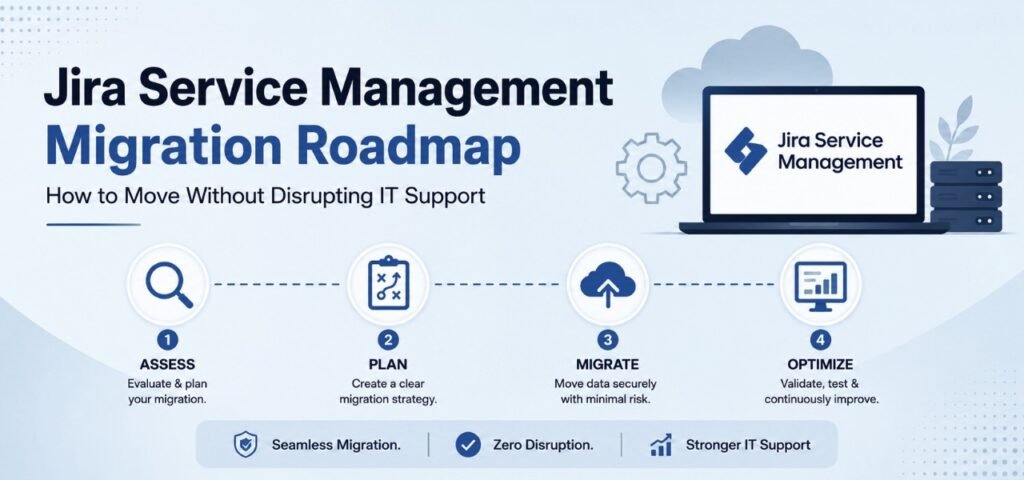
Jira Service Management Migration Roadmap: How to Move Without Disrupting IT Support
Overview
Jira Service Management is one of the most useful and world renowned service management and help desk platforms offered by Atlassian. The platform is designed to help different departments in an organization that includes IT teams, HR departments, customer support, facilities teams, and other internal service teams to receive, manage, track, and resolve various kinds of requests efficiently using a single easy-to-understand dashboard.
Organizations using other service-managed platforms can easily migrate to Jira Service Management as it can improve collaboration, automation, operational control, and service visibility.
Migration of any kind in IT can cause a lot of chaos during data transfer, as missing data, broken workflows, and delayed responses are one of the prime complications associated with the process. That’s why the safest approach for Jira Service Management migration should be practically understood before initiating the procedure.
Whether you are doing server migration or hiring any professional team, you must understand the whole process to make it a successful and hassle-free process.
1. Define the Business Case and Migration Scope
The key to a successful migration is clarity. Before selecting any tool or moving data, every organization must identify what is the scope of the migration and the objectives they want to achieve.
Common objectives include:
- Reducing service management platform costs
- Replacing fragmented ticketing systems
- Improving SLA performance
- Connecting IT and development teams
- Introducing employee self-service
- Strengthening asset visibility
- Extending service management to HR, finance, facilities, or legal teams
An organization must think clearly and convert these objectives into measurable outcomes. The next logical step would be to define the scope of the migration. An organization must ask itself, will the migration include problems, service requests, incidents, achievements, attachments, customers, changes, users, automation rules, integrations, asset records?
2. Assess the Current Service Management Environment
Once a business has clearly defined the scope, the next logical step should be to document the current service management environment. It is sometimes called the discovery phase, where stakeholders review all projects, request channels, forms, queues, workflows, notifications, approvals, permissions, integrations, reports, data assets, etc.
An organization must identify which processes are highly important and necessary for the future.
Even if your organization is moving from another Atlassian product that includes Jira Server or Jira Data Center, you must still assess the process complexity, application dependencies, data quality, and operational risks before initiating the migration process.
3. Clean and Classify Data Before Migration
No organization wants to move to a new tool and still struggle with the old problems. That’s why cleaning and classifying data before migration is highly important. Whether you are moving to Jira Service Management or any other similar tool offered by any other platform.
Legacy service systems often contain duplicate user accounts, inactive customers, inconsistent categories, unused custom fields, abandoned queues, duplicate or broken asset relationships, outdated knowledge articles, asset records with missing owners, etc.
Experts usually recommend organizations to divide the available data into four different groups that include:
- Data required for active service operations
- Historical data required for reporting, compliance, or audits
- Data that can be archived outside the new platform
- Data that can be deleted under an approved retention policy
Let me remind you once again that data cleanup may appear to slow down the whole migration process. But in practice, it reduces testing efforts, improves reporting and gives organisations a cleaner environment from the very first day.
4. Design the Target Operating Model
When you move from a legacy system to a professional service management platform, it offers a unique opportunity to decide how service delivery should work in the future.
You must define target structure for various processes in your organization that includes service projects, request types, escalation paths, approval processes, reporting and dashboards, request types, platform ownership and governance, etc.
You must never copy any other pre-made legacy workflow. Older workflows usually contain various issues that include duplicate statuses, unnecessary approval, or manual handoffs. This limits the capabilities of the Jira Service Management platform.
5. Map Workflows, SLAs, and Automation
As previously discussed, workflows should not be blindly copied from any platform, be it your old legacy platform or workflows offered by Atlassian itself. Pre-made systems often contain unnecessary approval steps, outdated routing rules, and confusing statuses that may not be relevant or useful for your organizational needs.
You must define your own workflow starting from reviewing how each type of request is moving from submission to resolution in your organization, and how it should move ideally.
For example, if an access request requires the approval of the manager before it reaches the IT team, it may unnecessarily delay a critical incident that must be submitted immediately and escalated to senior stakeholders.
Automation first comes at last when a new workflow has been designed optimally and as per the future needs. Automation should assist the workflow and make it easy rather than making it complicated.
6. Review Integrations and Marketplace Applications
Most service management tools, including Jira Service Management, do not operate independently. It may need to connect with various applications that include identity providers, HR applications, development pipelines, email systems, monitoring platforms, reporting platforms, etc.
Each marketplace application generally requires a separate assessment. You must ensure and confirm whether equivalent cloud versions are available, whether application data can be migrated, and can it work with your workflow. There are various vendors of a similar application with different features.
You must always select an application that is well aligned with your current workflow needs while securing the future.
7. Build and Test a Pilot Migration
Not many people think about it. But building a test and a pilot migration project provides clear evidence of perfectly working workflow before an organization commits to the final migration.
Even if it is a pilot project or a test project, it must be complex enough to expose the migration problems and contain enough information to make it only a test.
You must include real workflows, historical records, users, permissions, integrations, reports, automation view, and rules to validate record counts and attachments, SLA calculations, automation execution, delivery, dashboard accuracy, portal usability, etc.
8. Prepare Users and Support Teams
Migrating technology is not a hard or a lengthy process. It can be done as quickly as possible, but not working habits.
While preparing for the migration, you must think of preparing users and support teams as well. All stakeholders must clearly understand what is changing, why the migration is happening, what change will take place, what users need to do, and how to get help if get stuck.
Providing detailed frequently asked questions, screenshots, quick reference guides, tutorials, and short demonstrations can help your organization move the data and change the habits of the team as well.
How Avatu Reduces Jira Service Management Migration Risk
As discussed above, there are a lot of things that play an important role in migrating from any other platform to Jira Service Management. That is why it is generally recommended to hire a migration partner to perform all the tasks using their existing skills.
Partners like Avatu are well-versed in understanding service operations, process design, data architecture, integrations, user adoption, and governance. We have delivered various large-scale migration projects from other platforms to Jira Service Management.
We help organizations assess their existing environment and design their future configurations. Our Atlassian experts are well versed in designing target operating models, safely clean and migrate data, configure workflows, etc.
Conclusion
Jira Service Management is one of the most useful tools for organizations of all sizes, and its migration does not have to disrupt the operations.
Starting from defining the scope and cleaning the data to creating a test run and training teams, is an overwhelming process but necessary for a successful migration. By following the provided roadmaps, any organization can create their own path to migration by themselves as well.
The success of migration is not usually measured with the migration of data but the usefulness of the new platform. Avatu has an experienced team of Atlassian experts that are ready to create and execute a JSM migration roadmap that focuses on operational continuity and data integrity without creating any downtime.
Avatu Partners ServiceNow