Avatu

Edit Template

Author name: avatuavatu

Salesforce

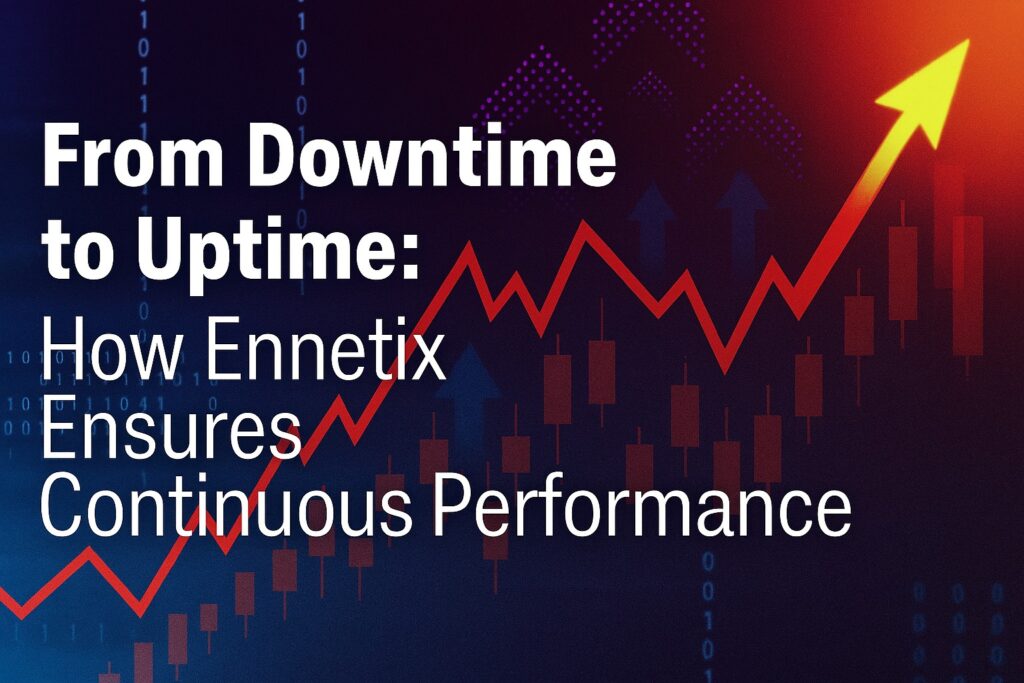
From Downtime to Uptime: How Ennetix Ensures Continuous Performance

Home » From Downtime to Uptime: How Ennetix Ensures Continuous Performance In the 21st century, the digital era, the downtime is no longer acceptable or just a technical inconvenience as it can become a threat to the business and its credibility. A few minutes of downtime can even destroy a company including their revenue, reputation, trust of customers, and resources.  Keeping that in mind, organizations of all sizes that are smart are turning to real-time observability and tools that are driven by artificial intelligence to stay ahead of their competitors and any disruptions that may cause any damage to the business. Keeping that in mind, we are going to explore why uptime matters more than ever before and how a typical downtime can cost Crores in damages and how Ennetix enables businesses to shift from firefighting to continuous performance and monitoring. 1. Why Uptime Is the New Competitive Edge In today’s digital era, customers expect instant access to every service that your organization offers. Whether you have a web portal or mobile app or software as a service or any other internal system, customers expect unlimited and uninterrupted access to all the services. Even a second of delay or any disruption may divert users’ attention and a business may lose their customers as well. Note: Enterprises working to strengthen IT operations and improve service reliability often leverage BMC Consulting Services to streamline monitoring, automate processes, and enhance overall IT performance. The cost of downtime A downtime doesn’t just cost a business a few minutes, but it costs money, reputation, and opportunities. For example, a research conducted by Gartner has estimated that the average cost of a downtime is around $5,600 per minute for large enterprises, which converts to 500,000 Indian Rupees.  Let me remind you once again that cost is just the cost of per minute. If any organization is experiencing a downtime of 10 minutes or 20 or 30 minutes, you can count the damage which may go to crores in Indian Rupees. That is why IT experts, larger and growing organizations are opting for a different approach which is not a traditional reactive IT approach. Waiting for something to break is costly and organizations are avoiding it at any cost. The smarter approach in the 21st century and especially in the era of AI detecting anomalies before they impact users is better than being an old reactive IT technique. 2. The challenges organizations face to stay always on. Staying always on and experiencing no downtime is the desire of most organizations. It also looks or sounds simple, but in reality it is one of the most complicated and difficult tasks for any organization. Keeping an organization on all the time is not as easy as discussing it. Behind every unplanned performance issue or downtime, there are a series of events that leads to that downtime. Note: Teams aiming to improve project visibility, collaboration, and DevOps performance frequently turn to Atlassian Consulting Services to optimise tools like Jira, Confluence, and the rest of the Atlassian ecosystem. Multiple monitoring systems Having multiple monitoring systems is one of the biggest causes of any downtime in an organization as different monitoring systems are not specially designed to talk to each other and connect the dots when something is about to go bad. This whole charade results in delays in identifying where the actual issue has started and as a result the organization experiences downtime. Limitations of Legacy Systems Older infrastructure and outdated tools were not built for today’s fast-pacing world and complexity of IT infrastructure. Those systems were good, especially in the pre-AI era, where users were not as fast as today. Those older systems are harder to scale and highly rigid to handle modern workloads. Today’s modern and fast-paced world is not a place for modern and fast-paced systems. Today’s modern and fast-paced world is a place for modern and fast-paced systems. Manual and Reactive Troubleshooting A huge number of organizations still rely on manual processes for checking logs, restarting systems, or escalating tickets by emails. This reactive cycle is, and burns, a lot of valuable time and energy of employees while the clock of downtime keeps ticking and causing damages to an organization. The lack of automation and artificial intelligence keeps all teams firefighting instead of innovating and working on the growth of the organization. Note: Businesses looking to improve customer experience and unify their sales operations often rely on Salesforce Consulting Services to implement the right CRM strategy and maximise the value of the Salesforce platform. 3. How Ennetix Enables Continuous Performance Ennetix offers a modern observability & AIOps platform which is specially designed to close gaps left by traditional or legacy systems. Here’s how Ennetix reactive efforts into proactive reliability: Unified Observability Across Hybrid Environments Managing multiple dashboards for different operations such as network, application, cloud, and security is a traditional method which is not suitable for modern workload. Ennetix Offers a unified platform which has 360-degree visibility that can help IT teams proactively detect problems across environments. Real-Time & Predictive Anomaly Detection Conventional or legacy monitoring tools often lag in prediction and anomaly detection and usually alert you after an issue has occurred. This is not an issue with Ennetix. The platform helps you leverage its real-time analytics and AI-powered predictive intelligence to detect anomalies before they start affecting users and cause any damages to the business. Experience Ennetix the right way with Avatu – your partner for long-term success! Start Today! AI-Driven Root Cause Analysis Time is one of the most critical components when a performance issue arises in any IT infrastructure. Having advanced tools such as Artificial Driven Root Cause Analysis and Monitoring Systems, it can help you a lot in early detection and resolution. Ennetix’s AI-driven root cause analysis tools help you reduce time to identify and resolve any problem across systems and applications. Intelligent Automation & Self-Healing Ennetix is not just limited to detecting problems but it can also help you fix

Salesforce

5 Signs Your Business Has Outgrown Spreadsheets and Needs Salesforce

Home » 5 Signs Your Business Has Outgrown Spreadsheets and Needs Salesforce Small businesses mainly rely on spreadsheets as they are the easiest, reliable, and cost effective choice. During the earliest stages of any business, spreadsheets work well to do most of the tasks including lead tracking, managing customer list and even monitoring revenue. As the business group from small to the medium and to the large, spreadsheets.work as good as they used to be. In fact, spreadsheets often act as a bottleneck rather than a helpful ally once the business has grown. Employees of any business cannot spend all of their time managing data in these spreadsheets. Due to spreadsheets limitation, managing data may get harder and opportunities can split through cracks causing millions in lost revenue. If this has been your story then you are not the only one out in the world. Many organisations in the world start with spreadsheets and move to different platforms such as Salesforce once they start to grow. In fact, Salesforce has become one of the game changers for a lot of businesses in the world.  In today’s article we will explore the five biggest signs your business has outgrown those old spreadsheets and is ready for the next chapter. Sign #1: Data Is Scattered and Hard to Trust Businesses usually maintain different spreadsheets for different departments such as the sales team, marketing team and finance team. At first glance, this may not look bad, but once you start to grow, and your data gets bigger, you do not see the whole up to date version of the truth. You end up with multiple versions of the same file which are harder to maintain, comprehend. For example: As a result of all this, you may lose trust in the data, and time reconciling spreadsheets, and take critical decisions on incomplete or outdated information. Note: Enterprises working to strengthen IT operations and improve service reliability often leverage BMC Consulting Services to streamline monitoring, automate processes, and enhance overall IT performance. How does salesforce solve this confusion? Salesforce is a dedicated platform which is designed to act as a single source of truth for all departments of a company. Every team, every department and even every employee of a company works on the same real time data which is automatically updated. For example, as soon as a sales person updates a lead, the marketing team instantly sees the change and acts accordingly. This goes on and on for every single department of the company, and even the leadership can oversee the latest and updated data in real time. Sign #2: Collaboration Is Slowing You Down In practicality, spreadsheets are built for Solo work, not real-time collaborations in a business environment. Though solutions like Google sheets allow multiple editors to work on a single spreadsheet at one time, in practice, these collaborations cause a lot of chaos. There can be hundreds of different problems with collaborated sheets such as overwritten formulas or conflicted edits. Even with this collaborating technology, the businesses are not seeing many changes in the activity, collaboration, and reporting. Note: Teams aiming to improve project visibility, collaboration, and DevOps performance frequently turn to Atlassian Consulting Services to optimise tools like Jira, Confluence, and the rest of the Atlassian ecosystem. Can salesforce solve this confusion? Yes, Salesforce can solve this problem as the platform is designed for collaboration at large scales. The platform is designed in a way so that different teams from different departments can work simultaneously without overriding each other with role-based permission controls.  Employees with a specific role or higher control options can control who can view or edit the data. Even track all the changes made by the different employees so that the company will know who updated, what data was updated and when did that happen. Sign #3: Reporting Takes Hours Instead of Minutes Creating reports out of data pulled from multiple spreadsheets can be time-consuming and challenging. Businesses usually require dedicated employees to create those reports by cleaning the data which also comes with different challenges such as managers of different departments spending hours preparing those reports rather than analyzing them, or The data gets outdated even before the reports are ready for the management to see. How can Salesforce help with this problem? The Salesforce Platform is designed to help solve all these problems as it comes with a real-time dashboard and reports management system. Not only can management track your reports, but the management can also track the key performance indicators including conversation rates, case resolutions, and pipeline velocity. In fact, all these reports and key performance indicators update automatically so that the leadership and the management has the latest picture. Note: Businesses looking to improve customer experience and unify their sales operations often rely on Salesforce Consulting Services to implement the right CRM strategy and maximise the value of the Salesforce platform. Experience Salesforce the right way with Avatu – your partner for long-term success! Start Today! Sign #4: Customer Experience Is Inconsistent Inconsistency in customer experience is the prime reason most businesses struggle while working with the spreadsheets. No two teams are able to work on the latest data due to each of those teams maintaining their own sheets. Marketing and sales teams usually miss follow-ups and have inconsistent communication with the customers.  In fact, studies have shown that customer retention is harder in businesses without any centralized system to provide better customer experience. Any inconsistency with the customer experience can erode the trust in your business and make it look like an unprofessional and rogue organization. Can Salesforce Improve Customer Experience? Yes, Salesforce can improve customer experience as the whole product is designed putting customers in the center of attention. Every interaction can be tracked at the platform from the lead to all the way to a closed deal. The platform offers a 360-degree customer view, which ensures seamless hands-off and consistent experience throughout the journey. Note: Many organisations modernising their

Why Do Salesforce Partners Focus on Long-Term Value, Not Just Go-Live?
Salesforce

Why Do Salesforce Partners Focus on Long-Term Value, Not Just Go-Live?

Home » Why Do Salesforce Partners Focus on Long-Term Value, Not Just Go-Live? When businesses decide to implement Salesforce, the excitement often grows at the thought of the “go-live” moment, i.e., the big day when the system is launched, and users finally get hands-on with the new platform. While this milestone is significant, it is only the beginning of the journey. The true value of Salesforce lies not in its deployment, but in the continuous alignment of the platform with your evolving business requirements.   This is where reputable Salesforce partners can make the biggest impact. The best partners know that long-term value and not just short-term wins define a successful Salesforce implementation.   In the following blog, we will explore why the top-notch Salesforce partners focus on long-term value and not just the “go-live” moment. Let’s dive in!  What Makes Salesforce Partners ‘Great’? First and foremost, you need to realise that not every Salesforce partner is made equal. Some provide the technical basics, while others deliver strategic foresight and business empathy that move you towards sustainable success. In such a scenario, a great Salesforce partner is characterised by the following attributes:   Business Alignment First, Technology Second: They don’t just ask what features you require; rather, they dig deeper into why you require them. Their solutions are consistently linked to your business goals.  Many organisations modernising their workflows often begin by exploring specialised ServiceNow Consulting Services, which help them redesign processes, reduce inefficiencies, and build scalable digital foundations. 2. Proactive Problem Solving: Instead of waiting for issues to escalate, great partners predict challenges and craft systems to avoid them.   3. Customisation Without Complexity: Top-notch Salesforce partners customise Salesforce to fit your workflows but ensures it remains scalable and manageable.  4. End-User Focus: Adoption is as essential as configuration. Top partners invest in training and change management to ensure your team leverages the platform efficiently.  Businesses looking to improve customer experience and unify their sales operations often rely on Salesforce Consulting Services to implement the right CRM strategy and maximise the value of the Salesforce platform. 5. Commitment Beyond the Launch: Perhaps most importantly, great partners see go-live not as the end, but as the start of an evolving journey with Salesforce. In short, a great Salesforce partner like Avatu Private Limited acts as an extension of your business and not just a mere vendor.   Experience Salesforce the right way with Avatu – your partner for long-term success! Start Today! Short-Term Wins vs. Long-Term Value It’s natural for organisations to get caught up in the immediate benefits of Salesforce: faster reporting, enhanced lead management, simplified workflows. These quick wins are critical, but they are only the tip of the iceberg.   Consider this: deploying Salesforce is like planting a tree. In the beginning, you’re excited to see green leaves sprouting, but the real value comes years later when it offers shade, oxygen, and fruits. A short-term-focused partner will only enjoy those first leaves. However, long-term-focused Salesforce partners will nurture the tree so it grows strong and continues delivering value year after year.   Now, long-term value in Salesforce comes from:  Continuous Optimisation: Your Salesforce configuration should adapt and expand as you expand the business you run.  Integration with New Tools: Great partners help you connect Salesforce with other systems as your tech stack evolves.   Scalability: They design your Salesforce environment to handle expansion without requiring frequent revisions.  Data-Driven Decisions: By helping you use analytics and AI features, they ensure insights are actionable, not just reports.   To cut it out, the difference between short-term wins and long-term value is the difference between a one-time project and a lasting competitive benefit.   Teams aiming to improve project visibility, collaboration, and DevOps performance frequently turn to Atlassian Consulting Services to optimise tools like Jira, Confluence, and the rest of the Atlassian ecosystem. How Top Salesforce Partners Ensure Ongoing Success? Going live is exciting, but what happens next? Imagine investing in Salesforce only to witness enthusiasm fade, data pile up, and users slip back to old habits. That’s where the best partners step in. They don’t just launch your system; they make sure it keeps evolving with your business, delivering long-term value since the beginning. So, how do they make it work? Here’s what sets them apart:   Keeping Systems Healthy: Regular health checks and audits make sure that Salesforce runs seamlessly, stays compliant, and adapts as your needs evolve.   Empowering Users: With continuous training and assistance, they ensure that your team actually leverages the platform efficiently and benefits from Salesforce’s latest features.   Planning Ahead: Instead of reacting to challenges, they help develop a scalable roadmap, aligning Salesforce with your long-term business objectives.   Protecting Data & Building Trust: Strong governance and security practices reduce risks as you evolve.   Driving Innovation: By introducing AI, automation, and new capabilities, they make sure that Salesforce keeps you ahead of the competition.   Hence, the best Salesforce partners like Avatu Private Limited help turn Salesforce from a tool into a growth engine, one that grows with your business instead of holding it back.   Enterprises working to strengthen IT operations and improve service reliability often leverage BMC Consulting Services to streamline monitoring, automate processes, and enhance overall IT performance. Accelerate your Salesforce success with Avatu’s long-term value strategies! Let’s Talk! Red Flags To Look For When Choosing a Salesforce Partner Ever met someone who seemed perfect at the first meet, only to realise later that they weren’t what they claimed to be? The same can happen with Salesforce partners. While many promise quick results and seamless implementations, not all are built for the long term. Therefore, identifying the following warning signs might help your company avoid a lot of hassles while saving time and money:  Disappearing Act Post-Go-Live: In case their proposal doesn’t include post-launch support, that’s a big warning sign.   One-Size-Fits-All Approach: Beware of partners who insist on rigid templates without understanding your unique processes.   Overemphasis on Speed: The phrase “we’ll launch in record time” sounds intriguing, but if it sacrifices scalability or user adoption,

Why Developers Love Lightning Web Components (LWC)?
Salesforce Lightning Web Components

Why Developers Love Lightning Web Components (LWC)?

Home » Why Developers Love Lightning Web Components (LWC)? Salesforce has been at the forefront of CRM innovation for many years. It offers businesses tools to manage customer relationships effectively, while giving developers the ability to create engaging and high-performance apps. Over time, Salesforce has evolved its development ecosystem by introducing frameworks to make building scalable, maintainable solutions easier. Among these, Lightning Web Components has quickly gained popularity among developers because of its modern approach in crafting user interfaces.  Built on standard web technologies such as HTML, CSS, and modern JavaScript, LWC enables developers to build components that are fast, reusable, and deeply integrated with Salesforce data. When compared to older frameworks such as Aura, it provides better performance, cleaner code, and a more intuitive development experience. But what actually makes Lightning Web Components in Salesforce a developer favourite? Let’s dive in and discover its unique benefits.   What Are Lightning Web Components in Salesforce? In simple words, Lightning Web Components in Salesforce are implementations of web standards-based UI development. Instead of being dependent on proprietary frameworks, Salesforce uses modern web standards, i.e., HTML, CSS, and JavaScript, making it accessible to developers familiar with mainstream web development. This strategy allows for cleaner, more maintainable code while using the full power of the Salesforce platform.   LWCs are component based. This means that each component has its own logic, styling and markup. These components can be reused across multiple applications to build scalable solutions, without having to reinvent the wheel. Moreover, LWCs support reactive data binding to ensure that changes in data will be instantly reflected on the user interface.  In a nutshell, Lightning Web Components eliminate the gap between modern web development practices and Salesforce’s robust CRM ecosystem, allowing developers to build faster, more efficient, and highly interactive applications.   Enterprises working to strengthen IT operations and improve service reliability often leverage BMC Consulting Services to streamline monitoring, automate processes, and enhance overall IT performance. Build smarter Salesforce apps with Avatu’s Lightning Web Components expertise! Start Today! Built on Modern JavaScript: Why It’s a Developer Favourite? One of the primary reasons why developers prefer Lightning Web Components in Salesforce is its reliance on modern JavaScript (ES6+). Unlike Aura components, which necessitated learning framework-specific concepts, LWC feels natural to anyone with front-end development experience. Some of the most popular highlights that developers appreciate include:   Classes and Modules: JavaScript classes make it simple to define component logic, while modules enable better code organisation.   Promises and Async/Await: Working with asynchronous calls, like fetching Salesforce data, becomes simpler.   Reactive Properties: Without requiring complicated logic, developers can easily bind data to the user interface (UI) to guarantee that changes in the data are actively reflected.  Cleaner Codebase: With fewer lines of boilerplate code, developers can concentrate on developing features instead of debugging framework quirks.   Now, if you’re already familiar with React or Angular, you’ll feel right at your safe space when working with Lightning Web Components in Salesforce. It’s like Salesforce said, “Hey developers, we get you!”  Teams aiming to improve project visibility, collaboration, and DevOps performance frequently turn to Atlassian Consulting Services to optimise tools like Jira, Confluence, and the rest of the Atlassian ecosystem. Decoding LWC Performance Advantages Over Aura Components Developers don’t just demand cleaner code, but they also care about speed and performance. And this is exactly where Lightning Web Components in Salesforce shine. Here’s why LWC outperforms Aura components:   Native Browser Support: Since LWCs leverage core web standards, much of the heavy lifting is done by the browser itself. Thus, no extra framework overhead results in faster execution.   Smaller Payloads: The Lightning Web Components in Salesforce are lightweight, reducing load times and improving app responsiveness.   Optimised Rendering: Using the Shadow DOM, LWCs ensure better encapsulation and faster re-rendering of components.   Mobile-First Readiness: LWCs are designed for blazingly quick mobile experiences in a world where mobile usage is the norm.  Imagine you’re crafting a Salesforce app that your sales team uses on the go. Every extra second of loading time could cost productivity. LWCs eliminate that lag, and that’s why developers and end users absolutely love them.  Businesses looking to improve customer experience and unify their sales operations often rely on Salesforce Consulting Services to implement the right CRM strategy and maximise the value of the Salesforce platform. How Do Reusable LWCs Help Build Scalable Salesforce Apps? Scalability in Salesforce doesn’t just mean handling more users or information; it’s also about sustaining growth without multiplying effort. That’s where reusable Lightning Web Components in Salesforce bring a unique twist.   As per top-notch Salesforce partners, instead of viewing components as one-off solutions, LWCs encourage developers to think deeply in terms of design systems. For instance, a custom input field or a chart built once can be standardised and rolled out across sales, service, and marketing applications. This transforms components into shared assets, not isolated fixes.   What makes LWCs unique is their potential to remain flexible while being reused. A single component can accept different parameters or styling, adapting to diverse use cases without requiring a rewrite. This not only minimises duplication but also builds a library of plug-and-play building blocks that teams can draw from.   The outcome? Faster releases, easier maintenance, and Salesforce applications that evolve gracefully with business requirements, without codebases turning into tangled webs of patches.  Accelerate your Salesforce projects with reusable, scalable LWC solutions from Avatu! Let’s Talk! How Does LWC Seamlessly Integrate with Apex, SOQL, and Salesforce Data? When it comes to crafting real business applications, data is the heartbeat of Salesforce, and LWCs make tapping into that heartbeat seamless. Top-rated Salesforce partners suggest that developers love the way LWCs effortlessly connect with the backend, allowing them to blend modern UI with powerful data-driven logic.   Apex Controllers: LWCs can directly call Apex methods, making them suitable for managing intricate business logic.   SOQL Queries: Gathering Salesforce data becomes straightforward, allowing real-time dashboards and dynamic reports.   Lightning Data Service (LDS): In several cases, developers can build, access, or update records without even writing

5 Common Workflow Orchestration Mistakes and Ways to Avoid Them
Workflow Orchestration

5 Common Workflow Orchestration Mistakes and Ways to Avoid Them

Home » 5 Common Workflow Orchestration Mistakes and Ways to Avoid Them In today’s fast-paced business world, efficiency is not only a nice-to-have, but a need for existence. Teams oversee several systems, dozens of tools, and dispersed teams in various time zones. In such conditions, workflow orchestration has emerged as the magic wand that keeps everything in move and in sync. But here’s the twist: just because you have set up automation does not mean your workflows are flawless.   Several organisations are unknowingly orchestrating chaos by introducing inefficiencies, bottlenecks, or even system breakdowns. And the cost? Lost productivity, missed deadlines, and frustrated teams.   In the following sections, we will explore five of the most common workflow orchestration services mistakes that most companies make, and more importantly, how you can avoid them to keep your operations running seamlessly.   What Is Workflow Orchestration and Why It Matters in 2025? Workflow orchestration is the deliberate blending of automated processes, technologies, and human inputs to effectively accomplish particular business goals. Unlike simple task automation, orchestration aims to look at the bigger picture, i.e., ensuring every process, tool, and team works together in sync.   In 2025, this matters more than ever before as:  Businesses are integrating AI-driven decision-making into workflows.  Remote and hybrid work models require real-time coordination.  Customer expectations for speed and accuracy have reached an all-time high.  The complexity of clouds, SaaS, and on-premises systems means dependencies are everywhere.  In a nutshell, workflow orchestration is the difference between a scattered to-do list and a synchronised operation that offers measurable business outcomes. However, getting it right necessitates the avoidance of some common traps.  Build flawless workflows with Avatu’s expert orchestration strategies! Start Today! Top 5 Common Workflow Orchestration Mistakes & How to Avoid Them Workflow orchestration can be a game-changer until small mistakes become major inefficiencies. Here are the top 5 mistakes in workflow orchestration and how you can avoid them for a smooth workflow:   1. Automating Without Business Goal Alignment Automation for automation’s sake is similar to installing a turbo engine in a car without deciding where you are driving to. Several enterprises begin automating tasks without linking them to broader business objectives. The outcome? Impressive-looking dashboards, but no real business impact. Additionally, you may wind up optimising ineffective processes, wasting money, and confusing teams in the process.  How to Avoid It?  Begin with clear KPIs to cut down the processing time by 20%, reduce operational costs by 15%, or enhance customer resolution speed.  Map every automation to a business outcome.  Involve key stakeholders early so automation aligns with both operational and strategic goals.  2. Ignoring Inter-Tool/System Dependencies In the present time, workflows rarely live in one tool. You may have a CRM talking to a marketing automation tool, which feeds data into a reporting system, informing your inventory management platform. It must be noted that ignoring the dependencies between these tools is like trying to plan a project without knowing who is leading.   How to Avoid It?  Map your integration architecture before implementing orchestration.  Use dependency visualisation tools to pinpoint probable failure sites.  Implement graceful degradation strategies to design processes so that if one system fails, others can still operate at reduced capacity instead of shutting down completely.  Enterprises working to strengthen IT operations and improve service reliability often leverage BMC Consulting Services to streamline monitoring, automate processes, and enhance overall IT performance. 3. Over-Automation Without Human Oversight It’s true that automation is powerful, but too much of it without the right human checkpoints can result in serious oversights. In such scenarios, errors can go unnoticed for days or weeks, nuanced decisions that require human judgement get mishandled, and customer experiences may feel robotic and impersonal.   How to Avoid It?  Create approval workflows for critical stages.  Keep human-in-the-loop (HITL) for tasks involving judgment, compliance, or exceptions.  Schedule periodic process audits to catch silent failures.  Teams aiming to improve project visibility, collaboration, and DevOps performance frequently turn to Atlassian Consulting Services to optimise tools like Jira, Confluence, and the rest of the Atlassian ecosystem. 4. Poor Monitoring and Logging Practices Several teams set up automation and forget to implement robust monitoring. Without logs and alerts, your workflows might end up failing quietly in the background. This in turn hurts because troubleshooting becomes time-consuming, SLAs can be breached without warning, and you even lose visibility into performance bottlenecks.   How to Avoid It?  Implement real-time monitoring dashboards.  Set up proactive alerts for failures, delays, or unusual patterns.  Regularly review logs for insights that can improve orchestration efficiency.  Businesses looking to improve customer experience and unify their sales operations often rely on Salesforce Consulting Services to implement the right CRM strategy and maximise the value of the Salesforce platform. 5. Skipping Load Testing for Scalable Orchestration Your workflow perfectly works until traffic doubles, a new product launches, or a big seasonal sale hits. Without load testing, you get no idea about how your orchestration will perform under pressure. Now, this might hurt because of system crashes during high-demand periods, missed revenue opportunities, and damage to customer trust.   How to Avoid It?  Run stress tests to simulate peak loads.  Test scalability limits before launch.  Build auto-scaling strategies so resources expand and contract with demand.  Cut bottlenecks and boost efficiency with Avatu’s workflow orchestration solutions! Discover How! How to Fix These Mistakes: A Checklist for Ops Leaders To fix the common workflow orchestration mistakes, here’s a quick checklist for Ops leaders:   Map every automation to a measurable business goal.  Identify and document all system dependencies.  Keep human oversight in critical decision points.  Implement real-time monitoring and detailed logging.  Perform regular load testing for scalability.  Review workflows quarterly for improvements.  Additionally, if you’re unsure where to begin, schedule a free consultation with experts who can assess your current orchestration and determine immediate wins.   Many organisations modernising their workflows often begin by exploring specialised ServiceNow Consulting Services, which help them redesign processes, reduce inefficiencies, and build scalable digital foundations. Conclusion In 2025, workflow orchestration is not just about

Top 5 Use Cases Where Salesforce Service Cloud Saves Time and Cost
Salesforce Service Cloud

Top 5 Use Cases Where Salesforce Service Cloud Saves Time and Cost

Home » Top 5 Use Cases Where Salesforce Service Cloud Saves Time and Cost What if your customer support team could do more with less, i.e., less time, less cost, and less chaos?  In today’s hyper-competitive, on-demand world, every second and every amount of money matters. Customers demand lightning-fast assistance across multiple channels, and businesses are under pressure to deliver stellar services without affecting their budgets.   The truth? Traditional support systems just don’t meet this need anymore. Manual workflows, disconnected channels, and scattered data result in higher costs, slower responses, and frustrated customers.   That’s where Salesforce Service Cloud comes in. It’s not just another helpdesk but a smart, scalable platform crafted to simplify assistance, automate the repetitive, and speed up resolutions. The outcome? Satisfied customers, empowered agents, and a customer service function that truly contributes to the bottom line.   What is Salesforce Service Cloud? Salesforce Service Cloud refers to a customer service and support platform that enables businesses to provide faster, better, tailored customer assistance across all channels. Based on the incredibly powerful Salesforce CRM platform, Service Cloud enables companies to manage customer interactions in real time that range from phone and email support to live chat. In addition, Service Cloud serves more than a ticketing platform by providing:   AI-powered chatbots and workflows,  Self-service portals with knowledge bases,  Real-time agent collaboration tools,  Intelligent case routing, and  Full-service analytics and dashboards.  All of this is integrated in a single console, offering agents the context they require and customers the support they deserve.   Enterprises working to strengthen IT operations and improve service reliability often leverage BMC Consulting Services to streamline monitoring, automate processes, and enhance overall IT performance. Deliver faster support with Avatu’s Salesforce Service Cloud solutions! Explore Now! Beyond Basics: Top 5 Use Cases Where Salesforce Service Cloud Saves Time & Cost Salesforce Service Cloud is not just about resolving tickets – it’s about redefining how support teams work. From automating the mundane to simplifying complex workflows, it brings real-time efficiency to every touchpoint. Here are the top 5 use cases where Service Cloud, when implemented by top-rated Salesforce partners, actively saves time, cuts down costs, and revolutionises support into a strategic benefit:   Teams aiming to improve project visibility, collaboration, and DevOps performance frequently turn to Atlassian Consulting Services to optimise tools like Jira, Confluence, and the rest of the Atlassian ecosystem. 1. Automating Case Assignments with Salesforce Service Cloud Consider having to manually assign hundreds of customer queries each day. Not only is this tiring, but it also results in delays, misrouting, and dissatisfied customers. Salesforce Service Cloud removes this bottleneck with intelligent case assignment rules.   How it works?  Using in-built automation, Service Cloud assigns incoming cases to the right agents on the basis of predefined criteria such as product expertise, availability, priority, or location. The Omni-Channel Routing feature automatically transfers work to the most qualified agents in real time.  Time & Cost Benefits:  Cuts down handling time by routing issues to the right expert from the get-go.  Reduces operational costs by minimizing supervisor intervention.  Enhances customer satisfaction, reducing churn-related costs.  Businesses looking to improve customer experience and unify their sales operations often rely on Salesforce Consulting Services to implement the right CRM strategy and maximise the value of the Salesforce platform. 2. Enabling Self-Service Through Knowledge Base Did you know that 69% of customers would rather handle problems themselves before contacting customer service? With Salesforce Service Cloud’s Knowledge Base, one can allow customers to do just that.  How it works?  Build and manage a centralised repository of FAQs, how-to guides, troubleshooting steps, and policy documents. Then, combine this with your service portal, chatbot, or mobile application.   Time & Cost Benefits:  Reduces support ticket volume by up to 40%.  Accelerates resolution with always-available answers.  Cuts down agent workload, enabling your team to focus on high-touch cases.  In short, it’s a win-win: customers get instant help, and your support team breathes easier.  3. Managing Multichannel Support in a Unified Console Struggling to balance between emails, chats, phone calls, and social media comments? That’s a recipe for chaos and inefficiency. Salesforce Service Cloud offers a unified agent console that brings all support channels into one view.   How it works?   Whether your customers reach out through Facebook, email, live chat, or even WhatsApp, Service Cloud consolidates these interactions in a single dashboard. Agents witness full customer histories and ongoing interactions in one place – no toggling, no confusion.   Time & Cost Benefits:  Eliminates app-switching, saving minutes per interaction.  Avoids duplicate efforts, thanks to 360° customer views.  Increases agent productivity, reducing headcount costs.  Many organisations modernising their workflows often begin by exploring specialised ServiceNow Consulting Services, which help them redesign processes, reduce inefficiencies, and build scalable digital foundations. Cut costs and save hours with Service Cloud’s built-in automation! Discover How! 4. Streamlining SLAs and Escalation Paths Automatically (h3) As per top-rated Salesforce partners, meeting SLAs is non-negotiable in customer assistance. Delayed replies not only harm relationships, but they also risk financial penalties. Salesforce Service Cloud ensures that you are always on time – with automation-driven SLA tracking and escalation management.   How it works?   You can set triggers and timers to monitor SLA deadlines. If a case is not resolved within a set period, it escalates subsequently to a supervisor or switches priority levels.   Time & Cost Benefits:   Avoids SLA breaches, saving reputational and financial damage.  Ensures accountability by flagging high-priority cases early.  Reduces time-to-resolution, increasing CSAT scores.  5. Reducing Manual Work Through Workflow Automation Manual updates, repetitive data entry, and follow-up tasks drain the time and energy of your agents. Service Cloud’s Workflow Automation removes these repetitive tasks using no-code tools and AI recommendations.   How it works?  You can automate:  Follow-up emails after case closure,  Ticket status updates based on conditions,  Alerts and reminders for pending approvals, and more.  All of this can be managed with point-and-click automation via Process Builder or Flow Orchestrator.  Time & Cost Benefits:  Improves team efficiency by eliminating mundane tasks.  Reduces errors, which saves time on rework.  Accelerates

Why Do Enterprises Choose Ennetix for Modern Endpoint Security Solutions?
Ennetix Endpoint Observability

Why Do Enterprises Choose Ennetix for Modern Endpoint Security Solutions?

Home » Why Do Enterprises Choose Ennetix for Modern Endpoint Security Solutions? In the current digital-first environment, businesses are no longer protected by firewalls alone. The battleground has transitioned from data centres and networks to the devices used by employees on a regular basis, i.e., laptops, desktops, IoT devices, etc. As a result, the demand for strong, intelligent, and real-time endpoint security has never been greater.  The question every modern business must ask isn’t if they’ll face a cyberattack – it’s when. And when the moment arrives, will their endpoints stand resilient or expose the entire network? As attackers grow smarter and stealthier, businesses require endpoint security that’s not just reactive, but predictive, intelligent, and always-on. This is where Ennetix steps in – built for the threats of today and the unknowns of tomorrow.   In the following blog, we will discover why enterprises prefer Ennetix for endpoint security solutions, what makes it radically different, and how it delivers a future-ready security posture. Why wait, then? Let’s dive in!  The Evolving Threat Landscape for Enterprise Endpoints Modern day cyber threats are stealthy, adaptive, and increasingly sophisticated. Phishing campaigns, zero-day exploits, ransomware, and supply chain attacks have all grown in frequency and severity. But what’s specifically alarming is the rise of fileless malware and living-off-the-land attacks, i.e., threats that don’t depend on traditional executable files and instead make use of legitimate tools to compromise systems.   For businesses, the endpoint is no longer a single-entry point – it’s a sprawling landscape. From remote work setups to BYOD (Bring Your Own Device) policies and edge computing, the attack surface has drastically expanded. Due to this, it’s no surprise that endpoints are now a top priority in cybersecurity strategies.   Additionally, compliance requirements such as GDPR, HIPAA, and ISO 27001 are tightening, demanding real-time monitoring, secure access controls, and complete visibility into endpoint activity. Hence, organisations can no longer afford reactive models – they require proactive, predictive, and automated endpoint defence.   Many organisations modernising their workflows often begin by exploring specialised ServiceNow Consulting Services, which help them redesign processes, reduce inefficiencies, and build scalable digital foundations. Protect your business with intelligent Endpoint Security Solutions built for today’s threats. Explore Now! What Enterprises Expect from Endpoint Security Solutions in 2025? In 2025, endpoint security solutions are not only about blocking threats – it’s about understanding behaviour, preventing lateral movement, and continuously adapting to rising risks. Business organisations now expect:   Real-time visibility into every device, user, and application.  Predictive analytics to recognise errors before they become vulnerabilities.  Automated incident response with minimal human intervention.  Poor performance effects on user experience and devices.  Integration with SIEM/SOAR tools for centralised threat management.  Cloud-native architecture that scales as the organisation grows.  Simply put, they require solutions that do more than just identifying threats, i.e., they must also anticipate them.   Businesses looking to improve customer experience and unify their sales operations often rely on Salesforce Consulting Services to implement the right CRM strategy and maximise the value of the Salesforce platform. Meet Ennetix xTend: More Than Endpoint Protection Software Introducing Ennetix xTend – not your typical endpoint protection software, but a unified security intelligence platform that equips organisations with in-depth visibility, AI-driven threat identification, and real-time control over every connected device, user, and application. It’s crafted for enterprises that don’t just want to protect endpoints – they want to understand and command them. Here’s all that sets Ennetix apart from endpoint security solutions:  AI-powered behavioural analytics that identify unusual patterns in real-time.  Granular endpoint observability beyond just logs and alerts.  Proactive threat hunting tools are embedded directly into the dashboard.  Self-healing endpoints that can auto-recover from misconfigurations or attacks.  Lightweight footprint, ensuring minimal impact on endpoint performance.  Scalable across hybrid settings, including on-premises, cloud, and edge.  Remember, Ennetix xTend isn’t just another endpoint protection software – it’s a strategic defence layer crafted for businesses that need full situational awareness and rapid response capabilities.   Teams aiming to improve project visibility, collaboration, and DevOps performance frequently turn to Atlassian Consulting Services to optimise tools like Jira, Confluence, and the rest of the Atlassian ecosystem. Discover how advanced Ennetix provide real-time visibility and automated defence. Learn More! Real-Time Endpoint Observability: Why It Matters? The real power of Ennetix lies in its real-time observability, a game-changer in modern cybersecurity. This is important because traditional tools operate on a “detect and respond” model wherein by the time an alert is triggered, the damage is already done. However, Ennetix flips the script with continuous visibility as it monitors:   Process behaviour and memory use  User activity and access attempts  Application usage patterns  Network connections and data flow  This 360-degree view allows the security teams to instantly identify shortcomings – whether it’s a rogue process, an unusual access pattern, or a user copying sensitive files to an external drive.   It isn’t just about stopping attacks but also about understanding context, reducing false positives, and acting with precision. Therefore, in 2025 and beyond, observability isn’t optional – it’s foundational.   Enterprises working to strengthen IT operations and improve service reliability often leverage BMC Consulting Services to streamline monitoring, automate processes, and enhance overall IT performance. How Enterprises Use Ennetix to Strengthen Endpoint Defence? Across different industries ranging from finance and healthcare to manufacturing and technology, here’s how enterprises are embracing Ennetix xTend to modernise their endpoint security solutions:   Early Threat Identification: Security teams leverage Ennetix’s AI-powered engine to identify zero-day threats long before traditional signatures are updated.  Forensic Analysis: Post-incident, teams can trace each action leading to a compromise with Ennetix’s detailed activity logs and visual playback.  Compliance Reporting: With built-in reporting tools, organisations streamline audits by generating compliance-ready reports at the click of a button.  Remote Device Management: In a distributed work model, IT teams make use of Ennetix to remotely monitor and secure endpoints, enforce patching, and configure security policies.  Automated Response: Whether it’s isolating a compromised endpoint or eliminating a malicious process, Ennetix’s automation reduces time-to-response to seconds  The result? Businesses acquire more control, faster recovery, and less

Strategic Planning Software Solutions: Why Atlassian Isn’t Just for Developers?
Atlassian Strategy Collection

Strategic Planning Software Solutions: Why Atlassian Isn’t Just for Developers?

Home » Strategic Planning Software Solutions: Why Atlassian Isn’t Just for Developers? In the present fast-changing business landscape, success is not just about execution – it’s about alignment, visibility, and adaptability. Strategic planning is no longer a static; annual exercise handled individually by executive teams. It’s an ongoing, cross-functional process that touches each part of the enterprise.   So, where does that leave traditional tools? Often scattered, outdated, and unable to keep up. That’s where strategic planning software solutions enter the scenario to unify objectives, teams, and execution in one connected ecosystem. And here’s the twist: Atlassian, long known as a developer’s toolkit, is emerging as a powerful platform for strategy and operations teams too.   In the following sections, we will explore how strategic planning software solutions are evolving, what modern solutions must provide, and why Atlassian is rapidly becoming the preferred platform for enterprises seeking to future-proof their planning processes, far beyond just software teams.   The Shift Toward Cross-Functional Strategic Planning Gone are the days when strategic planning was limited to C-suite boardrooms. In today’s time, it is a continuous cycle that involves product managers, marketing heads, operation leads, HR, finance, and not to forget, developers too.   Modern enterprises have realised that disconnected teams may derail even the most outstanding strategies. Due to this, there is a visible transition toward cross-functional alignment, where everyone from the CEO to individual contributors is part of the strategic loop.   However, the collaboration isn’t easy when teams make use of different tools, speak different languages, and follow different timelines. And that’s where integrated strategic planning software solutions become the real-changing element, introducing Atlassian not just as a toolset but as a platform.   Enterprises working to strengthen IT operations and improve service reliability often leverage BMC Consulting Services to streamline monitoring, automate processes, and enhance overall IT performance. Fuel your strategy from day one with Atlassian’s dynamic planning suite! Explore Now! What Makes a Strategic Planning Software Solution Today? In today’s world, a modern strategic planning platform requires to be far more than a project management tool. Here’s what the present strategy enabling software must do:   Ensure Visibility Across the Organization: From top-level OKRs to team-level initiatives, transparency is non-negotiable at all hierarchy levels.   Enable Real-Time Collaboration: Teams must collaborate in real-time, with minimal friction and contradictions.   Teams aiming to improve project visibility, collaboration, and DevOps performance frequently turn to Atlassian Consulting Services to optimise tools like Jira, Confluence, and the rest of the Atlassian ecosystem. Support Agile and Waterfall Planning: Strategy often demands a hybrid of long-term vision and short-term adaptability.   Integrate with Existing Tech Stacks: Whether it’s Slack, Salesforce, or Microsoft Teams, integrations are a must.   Drive Accountability and Alignment: People must know what they’re working towards and why.   While many tools provide slices of this functionality, Atlassian’s suite provides something rare: an end-to-end, scalable landscape that adapts to your strategic planning requirements.   Businesses looking to improve customer experience and unify their sales operations often rely on Salesforce Consulting Services to implement the right CRM strategy and maximise the value of the Salesforce platform. Atlassian’s Suite as a Strategic Planning Platform Atlassian’s suite has transformed into more than just a toolkit – it is identified as a strategic planning software solutions that help teams align on objectives, prioritise initiatives, and execute with clarity. From high-level strategy to everyday tasks, here’s how each tool of Atlassian plays a crucial role in the bigger planning picture:   Jira is no longer confined to issue tracking – it is a powerful engine for planning, tracking, and measuring the progress of key initiatives across departments.   Confluence now stands out as your central strategy hub, where goals, roadmaps, retrospectives, and executive updates live and breathe.   Trello provides a visual, intuitive workspace for brainstorming, campaign tracking, and content planning, perfect for non-technical teams.   Jira Align ties it all together – connecting strategy to execution in real-time for enterprise-wide visibility.   Want to experience the real magic? Combine these tools with smart configurations, automation, dashboards, and integrations to get a strategic command centre, not just a project board.   Real Use Cases: Atlassian for Strategic Planning Beyond IT Atlassian tools aren’t just for developer’s use – they’re driving strategic initiatives across marketing, HR, operations, and more. From aligning cross-functional objectives to tracking objectives and outcomes to managing complex project roadmaps, here’s how teams other than IT are using Atlassian strategic planning software solutions to turn strategy into actionable results:   Many organisations modernising their workflows often begin by exploring specialised ServiceNow Consulting Services, which help them redesign processes, reduce inefficiencies, and build scalable digital foundations. 1. Marketing Campaign Orchestration The marketing team at top notch companies use Jira to plan quarterly campaigns, Trello to manage calendars, and Confluence to align messaging with brand strategy. Further, weekly stand-ups and retrospectives are tracked in Confluence, ensuring continuous improvement.   2. HR Strategic Initiatives HR teams roll out a company-wide diversity and inclusion program using Jira Epics to define strategic objectives, stories to map initiatives, and Confluence to maintain transparency with dashboards accessible to all departments.   3. Product Strategy and Innovation At healthcare organisations, product leaders leverage Jira Align for tracking innovation initiatives across research, design, legal, and tech teams. The real-time roadmap view helps the executive team assess progress and make faster investment decisions. 4. M&A Integration Planning Post-merger integration teams leverage Confluence for creating centralised documentation hubs for both organisations. Jira helps track migration tasks, cultural alignment projects, and policy harmonisation efforts.   All these aren’t any hypothetical scenario – they’re happening right now. Thus, strategic planning with Atlassian isn’t a future trend but a present-day advantage.   Think Atlassian is just for developers? Think again! Learn More! Why Atlassian Appeals to Strategy and Ops Teams in 2025? In 2025, strategy and operations teams face more complexity than ever – global teams, remote collaboration, dynamic markets, and rising tech stacks. Here’s why they prefer Atlassian:   It’s Customizable, Yet Scalable: From startups to top-notch businesses, Atlassian scales with your strategy maturity.   Dashboards = Instant Insight: Atlassian allows executives

Beyond Slack: Why Teams Need Atlassian’s Teamwork Software?
Atlassian Teamwork Collection

Beyond Slack: Why Teams Need Atlassian’s Teamwork Software?

Home » Beyond Slack: Why Teams Need Atlassian’s Teamwork Software? In the current era of agility, where the speed of communication can make or break productivity, teams often juggle complex projects across departments, time zones, and workflows. Due to this, many organisations have rushed to adopt chat tools such as Slack with the view that it would transform collaboration.   And at first glance, it did as it made it easy to ping your colleague, share files, and start conversations in real-time. But as organisations levelled up, something became clear: conversation alone isn’t collaboration. Chat is fleeting, and true teamwork demands more structure, visibility, accountability, and alignment.   Welcome to the new age of Teamwork Software and meet Atlassian, the leader that helps companies move beyond the limitations of chat and into the world of end-to-end collaboration.   What Is Teamwork Software and Why Does It Matter Now? Teamwork software is more than just a mere messaging tool. It is a digital workspace crafted to help teams:  Plan, assign, and track work.  Document knowledge centrally.  Align teams around goals and timelines.  Handle cross-functional projects with visibility and accountability.  Adapt to agile, waterfall, or hybrid workflows.  Unlike isolated tools that concentrate on a single part of the collaboration process, like messaging, task tracking, or docs, teamwork software connects the entire work lifecycle. It supports ideation, execution, iteration, and documentation – all under one umbrella. Now the question is: Why does it matter now?   Well, it matters because the modern workplaces are fragmented, i.e., teams work remotely, projects span across departments, and goals evolve fast. In such a scenario, chat tools often fail to keep up. Thus, teams require software that’s flexible, scalable, and deeply integrated with the way they work.   Bring clarity to collaboration with Atlassian’s connected tools. Start Now! The Limits of Slack in Team Collaboration Let’s be honest – Slack is ideal for a lot of things like quick updates, async chats, and integrating with tools you already use. But as your teams flourish, Slack’s cracks begin to show. Here’s where Slack struggles in team collaboration:   Note: Enterprises working to strengthen IT operations and improve service reliability often leverage BMC Consulting Services to streamline monitoring, automate processes, and enhance overall IT performance. 1. Information Overload In Slack, conversations are linear. Due to this, important decisions vanish in threads, and searching for “that one message from last week” becomes a scavenger hunt.   2. No Project Backbone Slack doesn’t offer native task tracking, sprint planning, or goal-setting capabilities. You’re chatting about the work, not doing the work.   3. No Central Knowledge Hub Where’s the final version of the plan? Is the onboarding document updated? Slack doesn’t give you a structured, searchable knowledge base.   4. App Chaos Slack combines with tools such as Jira, Trello, and Google Docs, but these are still separate silos. You get notifications in Slack, but you must jump to different applications to act on them.   In short, Slack is where conversations happen, not where collaboration exists.   How Atlassian Delivers True Teamwork Software for Growing Organizations? Atlassian flips the entire script laid out by Slack.  Instead of conversations driving work, work drives conversations. This means that every task, document, and discussion happens within a shared context. Here’s how Atlassian transforms teamwork software:   1. Unified Ecosystem With tools such as Jira (project management), Confluence (documentation), Trello (lightweight task boards), and Bitbucket (code collaboration), Atlassian offers a smooth environment. No more hopping between apps as everything connects natively.   Note: Teams aiming to improve project visibility, collaboration, and DevOps performance frequently turn to Atlassian Consulting Services to optimise tools like Jira, Confluence, and the rest of the Atlassian ecosystem. 2. Workflows That Adapt From agile product teams to marketing operations, Atlassian’s tools support custom workflows. Create sprint boards, Kanban lanes, or Gantt views and automate repetitive tasks to save your time.   3. Knowledge Sharing Made Easy Confluence acts as your team’s brain by capturing ideas, processes, decisions, and documentation in one place. It is searchable, shareable, and always up to date.   4. Actionable Collaboration In Atlassian, collaboration isn’t just about chatting. You can also:  Comment directly on tasks and documents.  Track dependencies and blockers.  Assign, escalate, and close issues in real time.  This makes it a collaboration with accountability.   Stop losing tasks in chats and track work where it happens with Atlassian. Schedule a Free Consultation! Why Atlassian Is the Ideal Teamwork Software? Atlassian is more than just a set of tools. It’s a philosophy of working better together, with transparency, traceability, and trust at the core. Here’s why it is the perfect teamwork software:   Scalability: Whether you’re a startup or a global business, Atlassian grows with you. Its cloud-native platform supports small teams and scales to complex business workflows.   Customisability: From templates to automation rules to integrations with tools such as Microsoft Teams, Zoom, Salesforce, and GitHub, Atlassian allows you to customise the experience to how your teams already work.   Transparency: Everyone knows what’s being worked on, who’s doing it, and by when. It’s clarity that drives alignment.   Security and Compliance: Atlassian meets business-grade security standards – a non-negotiable for regulated industries.   Built for Real Work: Unlike chat-first tools, Atlassian tools are crafted around deliverables, deadlines, and documentation – the foundations of real productivity.   Note: Businesses looking to improve customer experience and unify their sales operations often rely on Salesforce Consulting Services to implement the right CRM strategy and maximise the value of the Salesforce platform. Real-World Use Cases of Teamwork Software in Action Still in a dilemma if it’s worth switching to Atlassian? The following are some real-world scenarios of Atlassian in action:   Marketing Teams  Use Jira Work Management to plan campaigns, track timelines, and automate approvals. Store brand guidelines and past campaigns in Confluence.   Software Development  Adopt Jira Software for managing sprints, backlog grooming, and bug tracking. Bitbucket combines with CI/CD pipelines for smooth code deployment.   Operations & HR  Develop onboarding workflows, handle internal requests, and document SOPs – all in one shared space.   Cross-Functional Teams  Use Confluence for co-creating

Salesforce Experience Cloud vs Community Cloud: What’s the Difference?
Salesforce Experience Cloud

Salesforce Experience Cloud vs Community Cloud: What’s the Difference?

Home » Salesforce Experience Cloud vs Community Cloud: What’s the Difference? In the present-day hyper-connected digital environment, businesses are actively looking for ways to deliver personalized and smooth experiences to their customers, partners, and employees. Salesforce has long been at the forefront of this evolution with its wide array of powerful cloud-based platforms. Among them, Community Cloud and its successor, Experience Cloud, have allowed organisations to build engaging online communities that drive collaboration, self-service, and engagement.   But with Salesforce officially transitioning from Community Cloud to Experience Cloud, many often wonder: What’s the difference between both? Is this just a rebranding, or there is more to it?   This blog will explore the key differences, reasons behind the transition, benefits of Experience Cloud Salesforce, and how it shapes the future of digital experiences. Come, let’s dive in!  What Was Salesforce Community Cloud? Originally, Salesforce Community Cloud was launched as a platform that empowered organisations to create branded portals, forums, and websites to connect with external stakeholders, i.e., customers, partners, and even employees. Its primary characteristics include:   Branded communities for customer assistance and engagement.  Partner portals for managing relationships and sales processes.  Employee hubs for HR support and internal collaboration.  Case management, knowledge base integration, and discussion forums.  Although Community Cloud served its purpose well, the rapid digital transformation across industries called for more robust, flexible, and immersive experiences that were far beyond static community portals.   Enterprises working to strengthen IT operations and improve service reliability often leverage BMC Consulting Services to streamline monitoring, automate processes, and enhance overall IT performance. What Is Salesforce Experience Cloud? Experience Cloud Salesforce is the evolution of Community Cloud, reimagined to meet the demands of today’s digital-first economy. Officially rebranded in 2020, Experience Cloud Salesforce expands on the capabilities of Community Cloud and positions itself as a comprehensive digital experience platform. Furthermore, Salesforce Experience Cloud allows you to build:   Customer-facing portals with dynamic personalization.  Partner marketplaces integrated with sales and marketing tools.  Employee service portals connected to workflows and knowledge bases.  Content-driven websites and mobile experiences – all on the same platform.  What sets Experience Cloud apart is its focus on personalization, flexibility, integration with other Salesforce Clouds such as Sales, Service, and Marketing Cloud, and use of AI-driven recommendations through Salesforce Einstein.  Scale smarter with Avatu’s Experience Cloud implementations! Explore Now! Experience Cloud vs Community Cloud: Key Differences While Experience Cloud builds upon the bedrock laid by Community Cloud, here’s a complete breakdown of what has truly changed with the rebranding: Feature Community Cloud Experience Cloud Positioning Online community platform Complete digital experience platform Personalisation Basic audience targeting AI-driven content personalisation Builder Tools Community Builder Experience Builder (improved) Integrations Salesforce CRM Full integration with CRM + Marketing + CMS Content Management Limited Robust CMS capabilities Analytics Basic reporting Advanced engagement and personalisation insights Mobile Optimisation Responsive Mobile-first, native app assistance Branding Flexibility Templates with limited design control Full brand control and flexibility In a nutshell, Experience Cloud isn’t just a rebranded Community Cloud but a reimagined platform that aims at addressing modern digital demands.   Why Did Salesforce Make This Shift? The rebranding to Experience Cloud wasn’t just cosmetic, but a strategic response given by Salesforce to the changing market demands. Here’s why Salesforce decided to make this shift:   1. Rising Demand for Personalized Digital Experiences: In today’s time, customers expect customised experiences across every digital touchpoint. To ensure this, Experience Cloud Salesforce leverages AI and data insights for delivering personalised content and recommendations.   2. Need for a Unified Platform: Businesses demanded more than just forums and portals. They wanted a single platform to create websites, microsites, customer apps, and more – all connected to their Salesforce data.  3. Growing Content-Driven Experiences: The present-day customer journeys are content-rich. Experience Cloud Salesforce offers Salesforce CMS, which makes it easy for businesses to publish, manage, and distribute content.  4. Digital-First Business Models: Particularly after the pandemic, businesses started prioritising digital engagement. Hence, Salesforce had to support not just community building, but entire digital experience ecosystems.   Teams aiming to improve project visibility, collaboration, and DevOps performance frequently turn to Atlassian Consulting Services to optimise tools like Jira, Confluence, and the rest of the Atlassian ecosystem. Power smarter digital journeys with Avatu’s Experience Cloud expertise. Get Started! Benefits of Migrating to Salesforce Experience Cloud Is your business still reliant on Community Cloud? Here’s why it’s time you should consider upgrading to Salesforce Experience Cloud:  1. More Engaging User Experiences With improved templates and design tools, you can build visually stunning and intuitive interfaces that truly reflect your brand.   2. AI-Powered Personalisation Experience Cloud makes use of Salesforce Einstein for delivering intelligent recommendations, content suggestions, and targeted experiences.   Businesses looking to improve customer experience and unify their sales operations often rely on Salesforce Consulting Services to implement the right CRM strategy and maximise the value of the Salesforce platform. 3. Seamless Integrations Experience Cloud portal, when connected with Sales Cloud, Service Cloud, Marketing Cloud, and more, ensures a connected customer journey.   4. Powerful Content Management Salesforce CMS allows you to create and manage content across channels, which was not accessible in Community Cloud.  5. Mobile-First Design Create responsive experiences that work across devices, or even design a custom mobile application powered by Experience Cloud Salesforce.   6. Scalability & Security Developed on Salesforce’s secure infrastructure, Experience Cloud guarantees enterprise-grade security, compliance, and scalability.   Use Case of Experience Cloud Salesforce A top-notch manufacturing business used Community Cloud to handle its partner ecosystem, but its portal lacked personalisation, real-time collaboration, and automation. When they migrated to Salesforce Experience Cloud, they launched a dynamic partner portal that offered the following:   Customised dashboards and content  Smooth deal registration and tracking  Self-service assistant and training modules  In short, this transition helps businesses with 30% faster partner onboarding, a 40% rise in registered deals, and majorly improved partner engagement, proving the real power of digital experience transformation.   Many organisations modernising their workflows often begin by exploring specialised ServiceNow Consulting Services, which help them redesign processes, reduce inefficiencies, and

Scroll to Top